
Styling
Fiz provides a layered styling system that maps to Cytoscape.js CSS properties. Styles can be applied at multiple levels, from global defaults to individual elements.
Inline Styles
Apply styles directly with curly braces. What a style block targets depends on where it sits, because a call is a node and a variable is an edge:
x = f()
g(x){ background-color: #cc4444; shape: "square" }   // styles the g node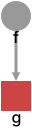

On an assignment's left-hand side, the block styles the edges that name draws rather than a node:
x = f()
y{ line-color: #cc4444 } = g(x)
h(y)   // this edge is red

To style a node, put the block on the call that creates it. See Calls & Variables.
Style declarations use the syntax property: value and are separated by semicolons (auto-inserted at newlines). Declaring the same property twice in one block results in a warning (SYN_DUPLICATE_STYLE_PROPERTY_NAME) and only the last value will be applied.
Style Tags
Define a named style tag with # and reuse it across multiple elements:
#finish {
  background-color: #ffcc00
  border-width: 4
  border-color: #ff8800
}

d = rest()
a = glaze(d){ #finish }
b = coat(d){ #finish }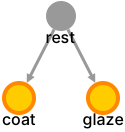
Applying Style Tags
Reference a style tag inside any style block with #name:
d = rest()
donut = dip(d){ #finish }

You can mix style tags with inline properties. Tags apply in declaration order, and inline properties win over all of them:
d = rest()
donut = dip(d){ #finish shape: "diamond" }

WARNING
A semicolon may only follow a declaration, never a style tag or a bare string. { #finish shape: "diamond" } parses; { #finish; shape: … } does not. Putting the tag last works too: { shape: "diamond"; #finish }.
Referencing a tag that nothing declares in scope reports REF_STYLE_TAG_NOT_FOUND.
Qualified Style Tags
Inside namespaces, style tags can be referenced with qualified names:
ns[
  #local { background-color: "gold" }
]

// From outside:
x = f(){ #ns.local }

Style Bindings
A style binding with % applies styles to all elements whose name matches the keyword:
%rest { background-color: #88cc88 }
%dip { background-color: #8888cc }

d = rest()
g = dip(d)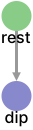

Every node named rest gets a green background. Every node named dip gets a blue background.
Edges also carry names from the variable that drew it so a binding can target edges as well:
%raw { line-color: #cc8888 }

raw = cut()
fry(raw)   // this edge is pink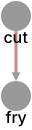

Binding blocks accept style tags as well as inline properties:
#rounded { shape: "round-rectangle" }
%serve { #rounded font-size: 10 }
Global Style Bindings
A global style binding with * applies styles to all elements of a given type:
*node { background-color: #f0f0f0 }
*edge { line-color: #888888 }
*subgraph { background-color: #e8e8ff }
The three global keywords are:
| Keyword | Applies to |
|---|---|
*node | All leaf nodes (non-compound) |
*edge | All edges |
*subgraph | All compound nodes (namespaces) |
Any other keyword reports SYN_INVALID_GLOBAL_STYLE_KEYWORD.
Descriptions
The description property attaches explanatory text to an element:
x = cut()
fry(x){ description: "90 seconds a side" }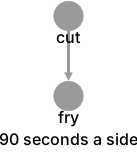
They work on nodes, edges, and namespace (compound) nodes, and can be attached through any styling level — inline, a style tag, or a name binding:
#timed { description: "Watch the clock" }
%fry { description: "Hot oil, 190°C" }
Description Shorthand
A bare string literal in a style block is a description, which is usually easier to read than spelling out the property:
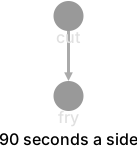
x = cut()
fry(x){ "90 seconds a side" }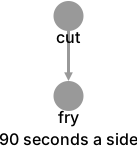
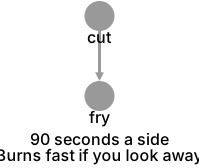
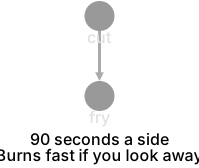
Several strings in one block join with newlines, which is a convenient way to write multi-line text:
x = cut()
fry(x){
  "90 seconds a side"
  "Burns fast if you look away"
}
Styling Description Text
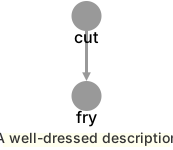
Every label-styling property has a description- prefixed counterpart that styles the description text independent of the element's own label:
x = cut()
fry(x){
  "A well-dressed description"
  description-font-size: 14
  description-color: #333333
  description-text-background-color: #ffffee
}
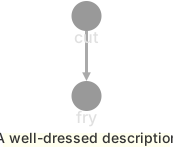
See Style Properties for the full list. description-text-halign and description-text-valign do not exist: in Cytoscape those control label position relative to the node body rather than alignment within a block, which is incompatible with how descriptions are drawn for export.
Style Priority
When multiple styles target the same element, they are applied in this order (later entries override earlier ones):
- Base styles — built-in defaults (labels, arrow shapes, theme colors)
- Global style bindings (
*node,*edge,*subgraph) - Class styles — style tags applied via
#tag - Name style bindings —
%keywordmatches - Element styles — inline styles on individual nodes/edges
- Compound node styles — styles on namespace containers
Within nested DAGs, child styles are applied after parent styles.
Value Types
Style values can be:
| Type | Examples |
|---|---|
| Colors | #ff0000, #4488cc, #abc |
| Numbers | 3, 0.5, 100 |
| Numbers with units | 12px, 2em |
| Strings | "hello", 'world' |
There are no bare-word values, so a keyword-valued property needs quotes: shape: "diamond", not shape: diamond. Within a string, \n becomes a real newline so renderers can wrap a label.
Multiple values for one property are comma-separated:
{ background-gradient-stop-colors: #ff0000, #0000ff }Beyond the Stylesheet
Some things a renderer needs are not element styles at all (e.g. which layout runs, what color the canvas is). Those go in a renderer directive rather than a style block:
^cytoscape{ layout: "elk"; background-color: #1e1e1e }See Style Properties for the complete list of available element properties.